.png)
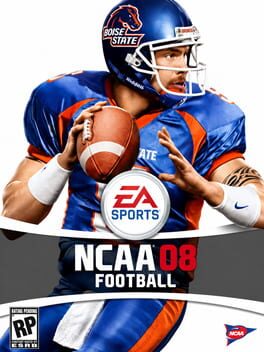
NCAA Football 08
NCAA Football 08 is a college football video game created by EA Sports, the sports video gaming subsidiary of Electronic Arts. It is the successor to NCAA Football 07 in the NCAA Football series. It was officially announced with the launch of the NCAA 08 page on the EA Sports website on February 20, 2007.[1] EA Sports had opened up a ballot on their NCAA Football 07 site in which fans can vote on a feature to be implemented into the PlayStation 2 version, making it the first console announced for the game and announcing at least one of its features.[2] Fans could vote for either in-game saves, medical red shirts, summer workouts or a lead blocker feature. The option of medical red shirts was voted on and won, and this option is on the Dynasty Mode on all versions of NCAA Football 08. This allows for players that are injured in the middle of the year to apply to gain another year of eligibility. The game was released on July 17, 2007, and the first time release on PlayStation 3, marking the eleventh installment of the NCAA Football series bearing the title "NCAA Football". As with NCAA Football 07, 08 features limited ESPN integration.
Set price alert
Get notified by email the moment the price drops below your target.